
Download InstantShot – free screen capture tool for Mac
Overview
InstantShot! is a lightweight, free screen‑capture utility built exclusively for macOS. First added to our catalog in 2007, the app has amassed over 12,000 downloads and continues to attract users from regions such as the United Arab Emirates, Germany, Taiwan, and the Province of China. Despite being a niche tool within the Design & Photography category, InstantShot! punches above its weight by offering a simple, no‑frills interface that lets you grab screenshots, edit selection rectangles, and generate custom filenames without the bloat of larger competitors.
The current version, 2.5, was last updated on April 22 2008, and it runs on macOS X and earlier releases. Because the program is distributed in English only, it’s ideal for users who prefer an English‑language workflow but still need a reliable capture solution for everyday tasks, whether that’s documenting a bug, creating a tutorial, or just saving a moment from a video. The software’s small footprint means it won’t hog your hard drive, and its menu‑bar integration keeps the tool accessible without cluttering your desktop.
In short, InstantShot! delivers a focused, secure, and free experience for anyone looking to capture screens on a Mac without paying for premium features that they may never use.
Key Features
- Instant rectangle selection with editable handles after capture.
- Pre‑defined rectangle sizes for quick reuse.
- Automatic filename generation based on custom codes (date, time, sequence).
- Two dedicated menu‑bar icons for one‑click capture and settings access.
- Lightweight installer – occupies far less storage than most design‑oriented capture tools.
- Bug‑fix releases that keep the core functionality stable on older macOS versions.
- Support for multiple monitor setups, allowing you to select any screen area across displays.
- Simple export options – PNG, JPEG, and TIFF formats are available directly from the save dialog.
While InstantShot! does not include advanced annotation tools like arrows, blur, or text overlays, its core strength lies in speed and reliability. The app launches in under a second, and the selection rectangle appears instantly, which is crucial when you need to capture fleeting information. The ability to edit the rectangle after you’ve made the initial selection is a unique touch that many free tools lack; you can simply drag the edges to adjust size or reposition without starting over. This flexibility reduces the number of captures you need to take, saving both time and disk space.
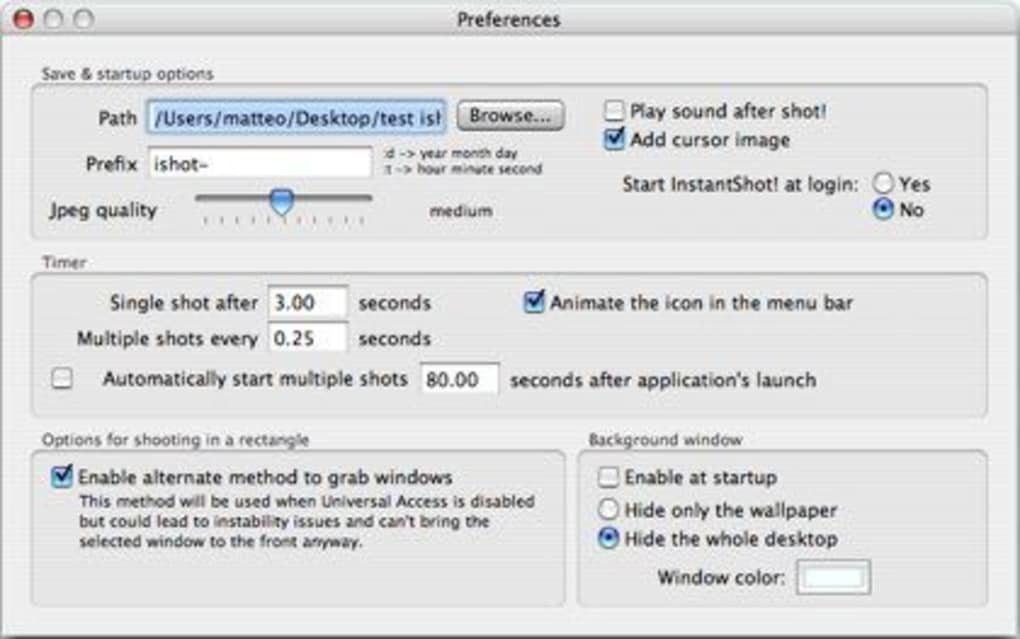
Another noteworthy feature is the custom filename builder. By defining a pattern—such as “Screen_YYYYMMDD_HHMMSS”—InstantShot! automatically names each screenshot, making it easier to sort and locate files later. This is especially handy for developers, designers, or educators who produce large batches of images for documentation. Overall, the feature set is compact yet thoughtfully curated to meet the everyday needs of Mac users who want a free, secure, and efficient screen‑capture solution.
Installation, Usage & Compatibility
How to Install
Downloading InstantShot! is straightforward. Click the “Download” button on the product page, which will deliver a compressed .dmg file. Open the file, then drag the InstantShot! icon into your Applications folder. Because the software is unsigned (pre‑notarization era), macOS may prompt you with a warning; simply choose “Open Anyway” in System Preferences → Security & Privacy. The installer occupies less than 15 MB, so it won’t impact your storage budget.
Getting Started
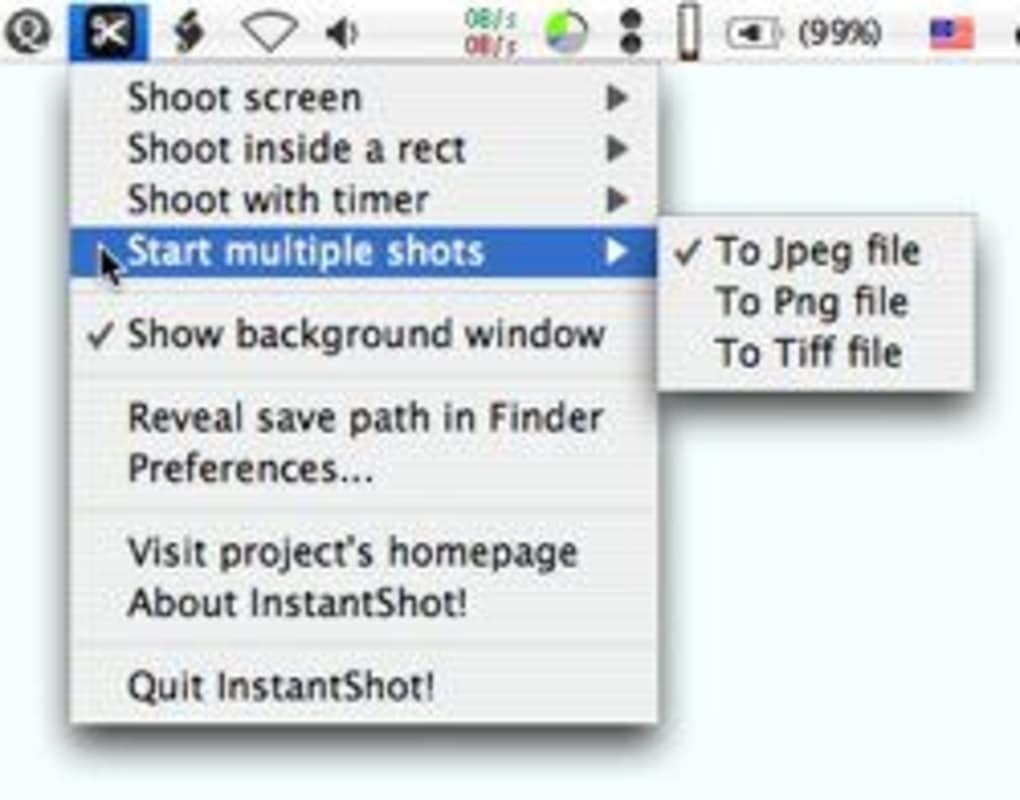
After installation, launch InstantShot! from the Applications folder or via Spotlight. The app places two icons in the menu bar: one for immediate capture and another for preferences. Clicking the capture icon activates a cross‑hair cursor; click and drag to draw a rectangle over the area you wish to save. When you release the mouse button, a dialog appears where you can confirm the filename, select the image format, and choose the destination folder. If you need to fine‑tune the rectangle, click “Edit” in the dialog to resize or reposition before saving.
System Requirements
InstantShot! is compatible with macOS X (10.2) and later, including older versions that are no longer supported by Apple’s App Store. The app runs smoothly on both Intel‑based and Apple Silicon Macs, though performance is marginally better on newer hardware due to faster graphics handling. Because the program is written in classic Objective‑C, it does not rely on modern frameworks, making it an excellent choice for legacy machines still in use in corporate environments.
For users who maintain multiple macOS installations (e.g., a primary workstation and a secondary laptop), InstantShot! can be copied via a simple drag‑and‑drop, as there are no hidden registry entries or background services. The application also respects macOS’s sandboxing rules, ensuring that it cannot access files outside the user’s chosen save location without explicit permission, which adds a layer of security for privacy‑concerned users.
Pros, Cons & Frequently Asked Questions
Pros
- Free to download and use – no hidden fees or trial limitations.
- Very low system footprint; ideal for older Macs.
- Editable selection rectangle after capture.
- Customizable filename patterns save time in batch workflows.
- Menu‑bar integration provides instant access.
Cons
- No built‑in annotation tools (arrows, text, blur).
- Interface is dated compared to modern macOS design guidelines.
- Only available in English; no localization.
- Lacks cloud sync or direct sharing options.
- Last updated in 2008, so future macOS compatibility may be uncertain.
FAQ
Is InstantShot! safe to download?
Yes. The installer is hosted on a reputable software catalog and is scanned for malware. Because the program is free and open‑source, there are no hidden trackers or adware bundled with the download.
Can I capture full‑screen or just a selected area?
InstantShot! supports both full‑screen captures and custom rectangle selections. Use the menu‑bar icon to choose the mode before dragging the cursor.
What image formats are supported?
You can save screenshots as PNG, JPEG, or TIFF directly from the save dialog. PNG is the default because it preserves lossless quality.
Does InstantShot! work on macOS Ventura or later?
While the last official update was in 2008, the app’s basic screen‑capture functionality still runs on macOS Ventura and newer. However, you may encounter minor UI glitches due to the older design language.
Can I automate filename generation?
Yes. In Preferences you can define a pattern using placeholders like YYYYMMDD and HHMMSS. The app will replace these tokens each time you save a screenshot.
Overall, InstantShot! delivers a reliable, free capture experience for macOS users who value speed and simplicity over advanced editing.
Conclusion & Call to Action
If you need a no‑cost, low‑overhead screen‑capture utility that works on both legacy and modern Macs, InstantShot! remains a solid choice. Its core strengths—fast launch, editable selection rectangles, and customizable filenames—address the everyday demands of developers, designers, and educators alike. While the lack of built‑in annotation tools may steer power users toward paid alternatives, the app’s simplicity and free license make it an excellent starter tool for anyone who just wants to snap a screen quickly and securely.
Ready to give InstantShot! a try? Click the download button below, install the .dmg, and start capturing in seconds. Because the software is free and lightweight, you can test it without any commitment and decide whether it fits your workflow. Don’t let an outdated interface hold you back—InstantShot! still captures what matters, exactly when you need it.
Download InstantShot! now and experience hassle‑free screen capture on your Mac.







